






[Part Finder Guide 02] Find Parts by Vehicle: Select Your Car and See Only Compatible Parts
Estimated reading time: 4 minutes
Welcome back to our Parts Finder Series!
In [Guide 01], we showed you how to search by keywords and OEM numbers. But what if you don’t have a part number? What if you’re not even sure what the part is called?
No problem. If you know what car you drive, you’re already halfway there.
This guide will teach you how to use our Vehicle Filter – a powerful tool that shows you only the parts that fit your specific car. No more guessing. No more “will this fit?” anxiety.
Why You Should Always Filter by Vehicle First
Car parts are not one-size-fits-all. The same model car can have different parts depending on:
- Year (a 2008 Camry vs. a 2006 Camry)
- Engine size (2.0L vs. 2.5L)
- Fuel type (petrol vs. diesel)
- Transmission (automatic vs. manual)
- Body style (sedan vs. wagon)
If you ignore these differences, you risk buying a part that simply won’t fit.
The Vehicle Filter solves this problem. Once you tell us what you drive, our system will automatically hide parts that don’t match your car. You can shop with confidence.
Step 1: Locate the Vehicle Filter
The Vehicle Filter is prominently displayed in two places:
Option A: On Home Page
Look at the top of home page of our website. You’ll see a section that says something like:
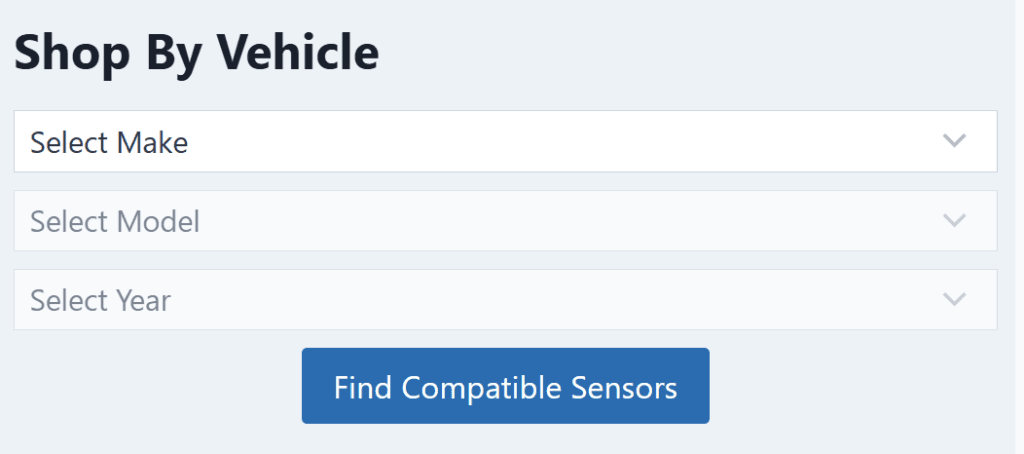
Option B: On Category Pages
If you’re browsing a category like “steering angle sensor,” you’ll see the filter on the left side (desktop) or top (mobile).
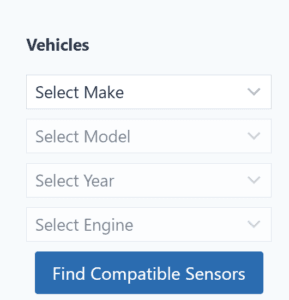

Click it to get started.
Step 2: Select Your Vehicle – Step by Step
We’ll guide you through a simple process. Just follow the dropdown menus:
Level 1: Select Make
Start by picking your car’s manufacturer from the list:
• Toyota • Honda • Ford • BMW • Mercedes-Benz • Volkswagen • Audi • Nissan • Hyundai • and more…
Example: Select Toyota.
Level 2: Select Model
Next, select your specific model from the list:
• Camry • Corolla • RAV4 • Hilux • Yaris • Land Cruiser • Prado • and more…
Example: Select Camry.
Level 3: Select Year
Now pick the year of your vehicle:
2006 • 2005 • 2004 • 2003 • 2002 • 2001 • …
Example: Select 2006.
Level 4: Select Engine
We need to know your exact engine. You might see options like:
• 2.0L Petrol • 2.5L Hybrid • 3.5L V6 • 2.2L Diesel
Example: Select 2.0L Petrol.
After making your selections, click the “Find Compatible Sensor”. You will see all sensors for the vehicle which you selected.
What If You Don’t Know Your Exact Vehicle Details?
Not everyone remembers their engine size or exact year. Here are three ways to find out:
Method 1: Check Your Registration Document
Your vehicle registration paper (V5C / log book) contains:
- Vehicle model
- Year of manufacture
- Engine size
- Fuel type
Method 2: Look at Your Car’s VIN Plate
Open the driver’s side door and look at the door jamb. There’s usually a sticker or metal plate with:
- Manufacturing date
- Engine code
- Model code
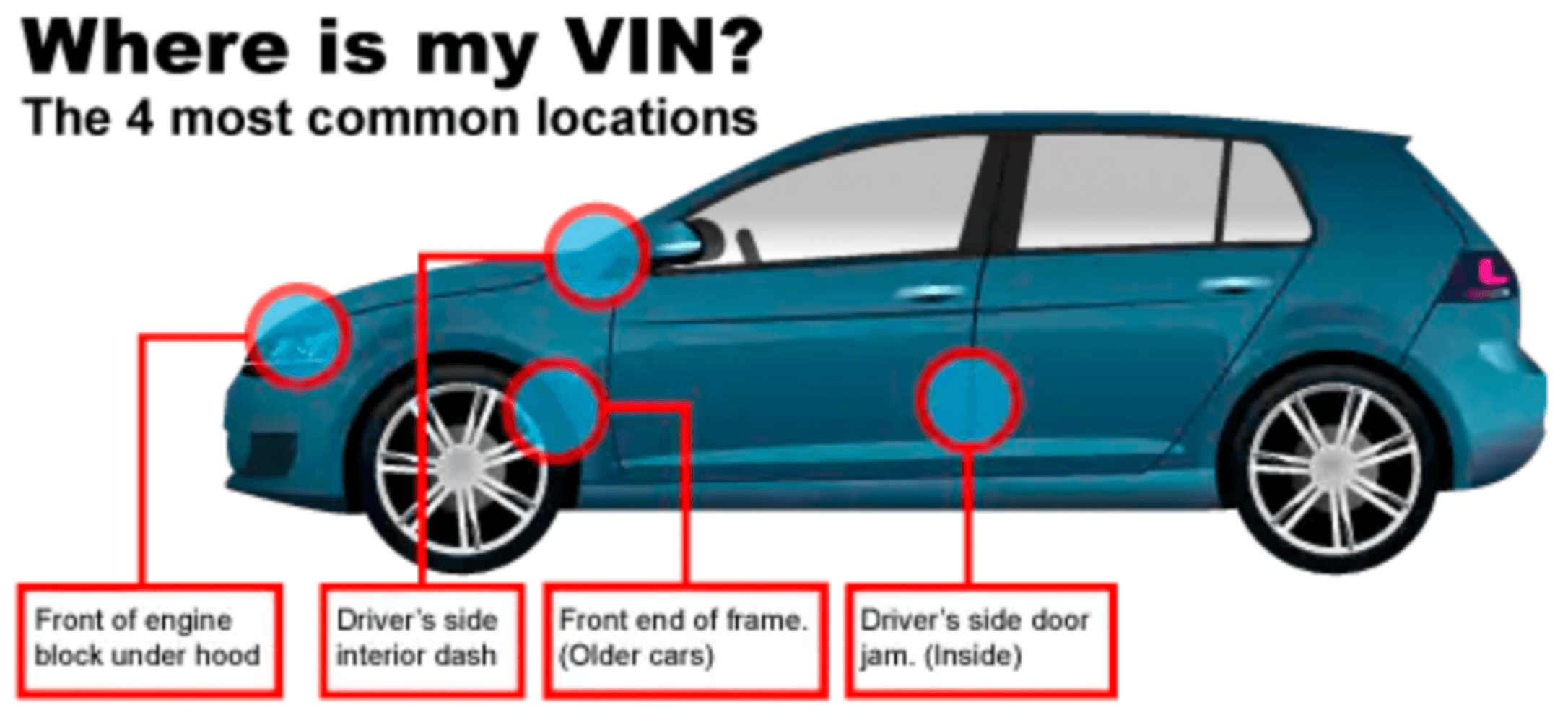
Method 3: Use Our VIN Tool (Coming in Guide 03!)
If you’re still unsure, wait for our next guide – we’ll show you how to use your VIN (Vehicle Identification Number) for 100% accurate results.
Quick Tips for Vehicle Filter Success
✅ Be as specific as possible. More details = better fitment.
✅ If a part doesn’t show up, it might not exist for your vehicle – or you might need to check if your car has special options (e.g., sport package, towing package).
✅ When in doubt, ask us. Our customer support team can look up your vehicle and recommend the right parts. Just send us your reg number or VIN.
Summary: Vehicle Filter at a Glance
| Step | Action |
|---|---|
| 1 | Click the Vehicle Filter at the top of the page |
| 2 | Select Make → Model → Year → Engine (step by step) |
| 3 | Click Find Compatible Sensor |
| 4 | Browse with confidence – only compatible parts shown! |
| 5 | Change or clear filter anytime |
What’s Next?
- Have an old part number? → [Guide 1: Search by Keywords or OEM Number]
- Want 100% certainty? → [Guide 3: Find Parts by VIN]
- Need personal help? → [Contact Our Support Team]
Happy (stress-free) shopping! With the Vehicle Filter, you’re one step closer to getting the right part the first time.